

If you’re among the crop of longtime Windows PC users who ditched their bulky desktop tower/mini-tower rigs for the latest palm-sized, easy-on-the-budget mini PCs, you probably either love them or blame yourself for buying one.
Plenty of them are out there these days, in various CPU/GPU/memory configurations to suit your needs and budget. But most come in cheap plastic cases, with external power bricks, and are manufactured in China. Forget remembering the brands; Chinese PC makers are notorious for slapping different, easy-to-forget brand names on mini PCs from the same factory.
I consider $400 to $800 the best price range for these “budget” mini PCs, if you have time to sort them out by specs. These days, you can spend $1,000 on a “mid-grade” graphics card alone for your full/mid/mini-tower gaming rig.
I got one in late 2024 – powered by an AMD 8-core Ryzen 9 CPU/Radeon 680M GPU with 32GB (2 x 16GB, DDR5) SODIMMs (socketed), 1TB of M.2 2280 NVMe PCIE 4.0 SSD, dual 2.5Gbps Ethernet ports with Windows 11 Pro pre-installed. But that was before DRAM prices went to the stratosphere due to the AI hype.
Windows-based PC makers usually follow Apple’s lead when the first Mac mini (6.5″x 6.5″x 2″) showed up in 2004. When Apple further shrank the Mac mini’s form factor to 5″x 5 ” x 2″ in 2025, similar-sized “PC minis” showed up with an assortment of CPUs to choose from: AMD, Intel, and Qualcomm’s ARM-based Snapdragon.
My mini PC, from a Shenzhen, China-based company called BOSGAME, measures exactly like the latest Mac mini – 5 “x 5 ” x 2″- and I got it as my way of evaluating how it measures up to my robust, reliable, albeit older, desktops in mini-tower and micro-ATX cases. A few of them can no longer be upgraded to Windows 11 because they lack TPM 2.0 hardware.
I didn’t expect much –quality and reliability-wise- from these Windows-based mini PCs, unlike when I first bought my first Mac mini in 2005. Apple had long established itself as a reliable computer maker since they first came up with the Apple II. No wonder they have a cult-like following among collectors. With that in mind, I purchased an extra three (3) year warranty for the mini PC—just in case.
And so, since early December 2024, the mini PC has sat next to my backup web server (a 2013 Mac Pro), which shares a 32″ LG OLED monitor along with a Windows 10 Pro-based full tower PC (I use it to manage all the gadgets on the network rack).
Incidentally, both machines are minimally used, unlike their cousins: a 28-core M3 Ultra Mac Studio (my main web server) and a self-built AMD Ryzen 9-powered micro-ATX desktop with a 1200-watt PSU. I never turn either unit off, except for maintenance or during extended power outages in our area—which is very rare.
Honestly, I prefer Windows 10 to Windows 11 since the former still has some of the features that I had been accustomed to using through the years, since Microsoft finally got it right with a GUI-based OS – Windows 95.
Two weeks ago, after less than 500 hours of full-time use over about two (2) years, the Bosgame mini PC went seemingly DOA. The power button LED lights up, but nothing appears on the monitor. Poking a pin into the reset hole for a few seconds (then releasing) didn’t improve it. Pressing the power button randomly would only turn on the power button LED, and only intermittently.
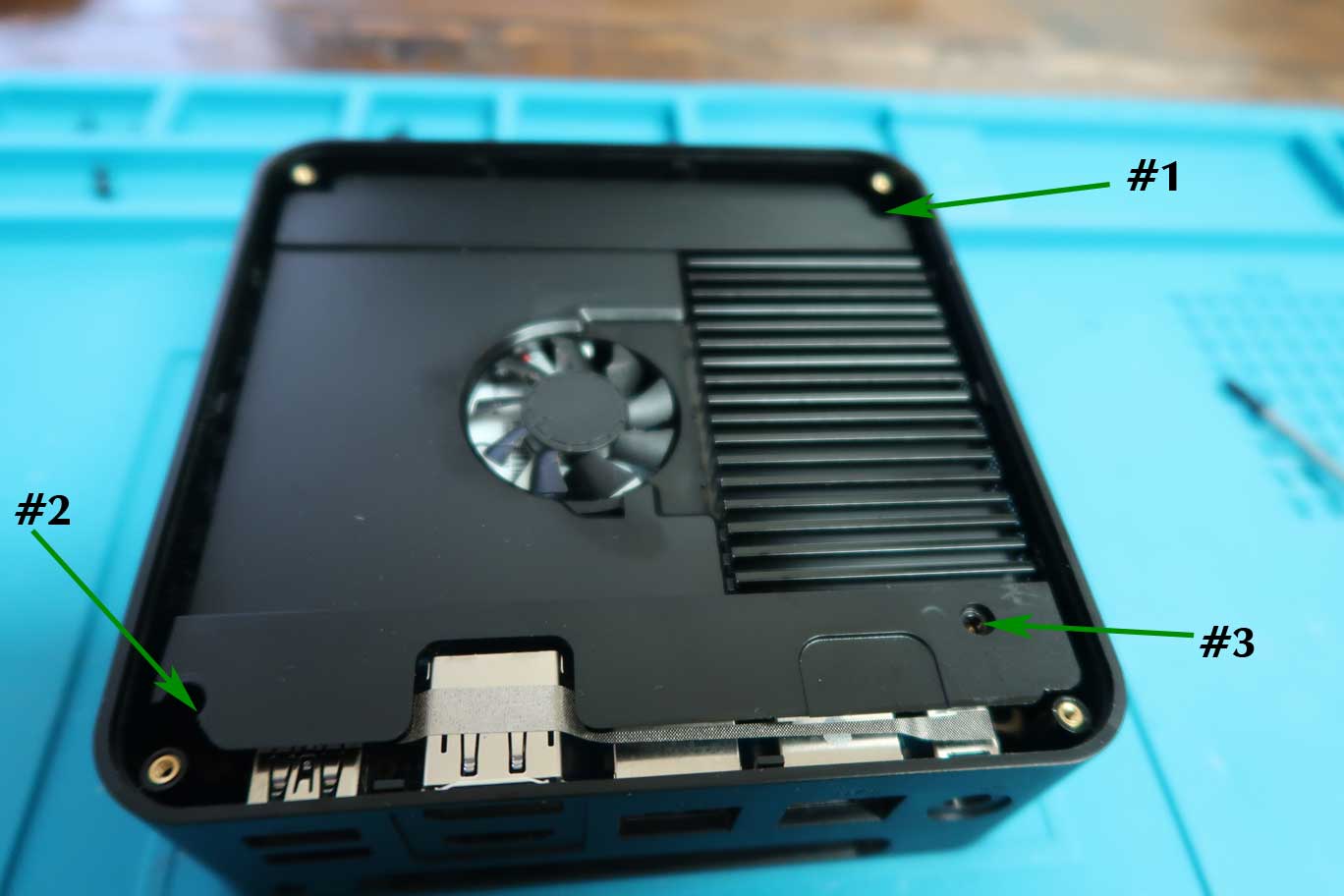
After opening the unit’s all-plastic case underbelly (held by just seven (7) Philips screws, including a slender heatsink) to expose the user-replaceable components inside, I noted that the small internal fan doesn’t spin after powering up the unit. Not a good sign.
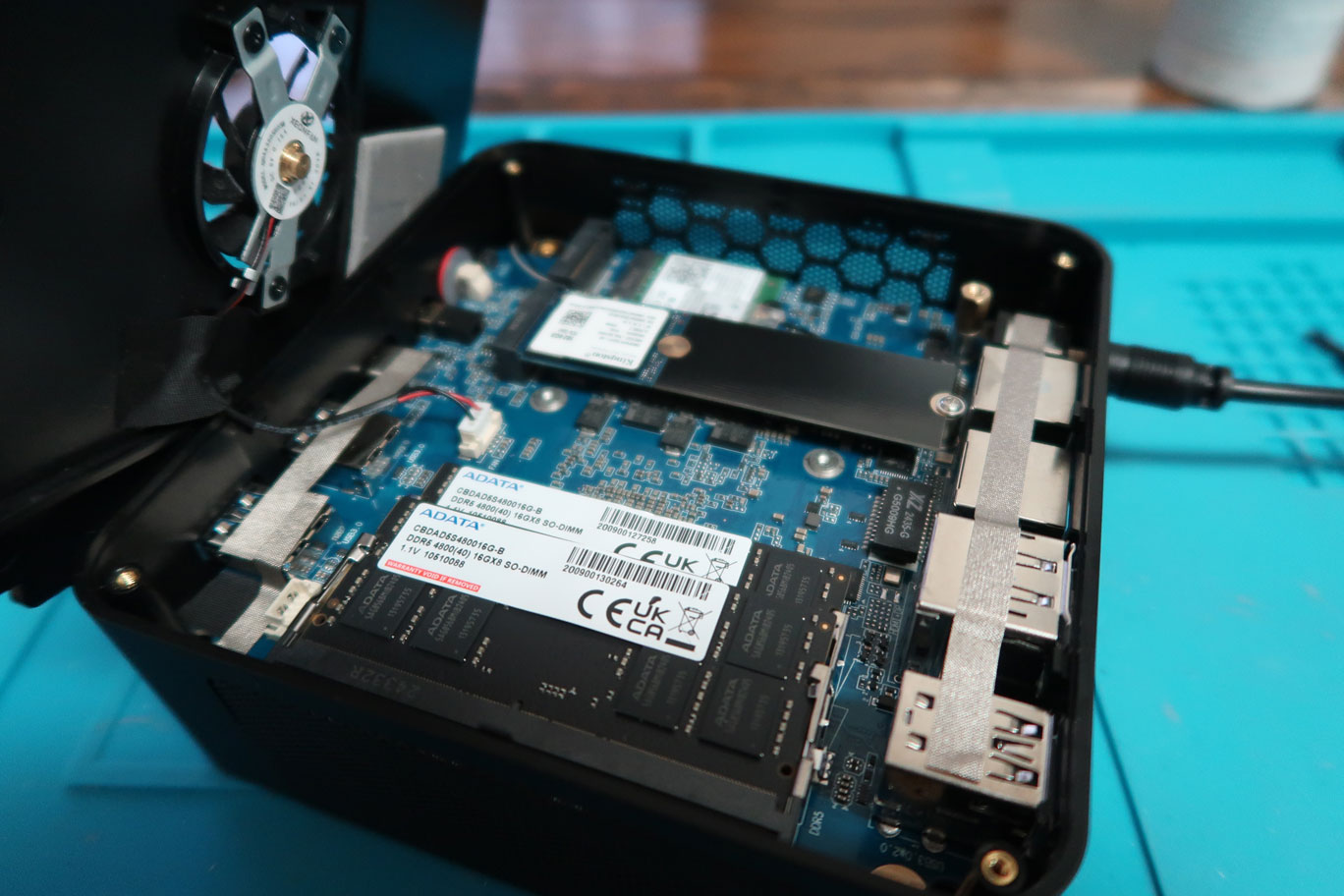
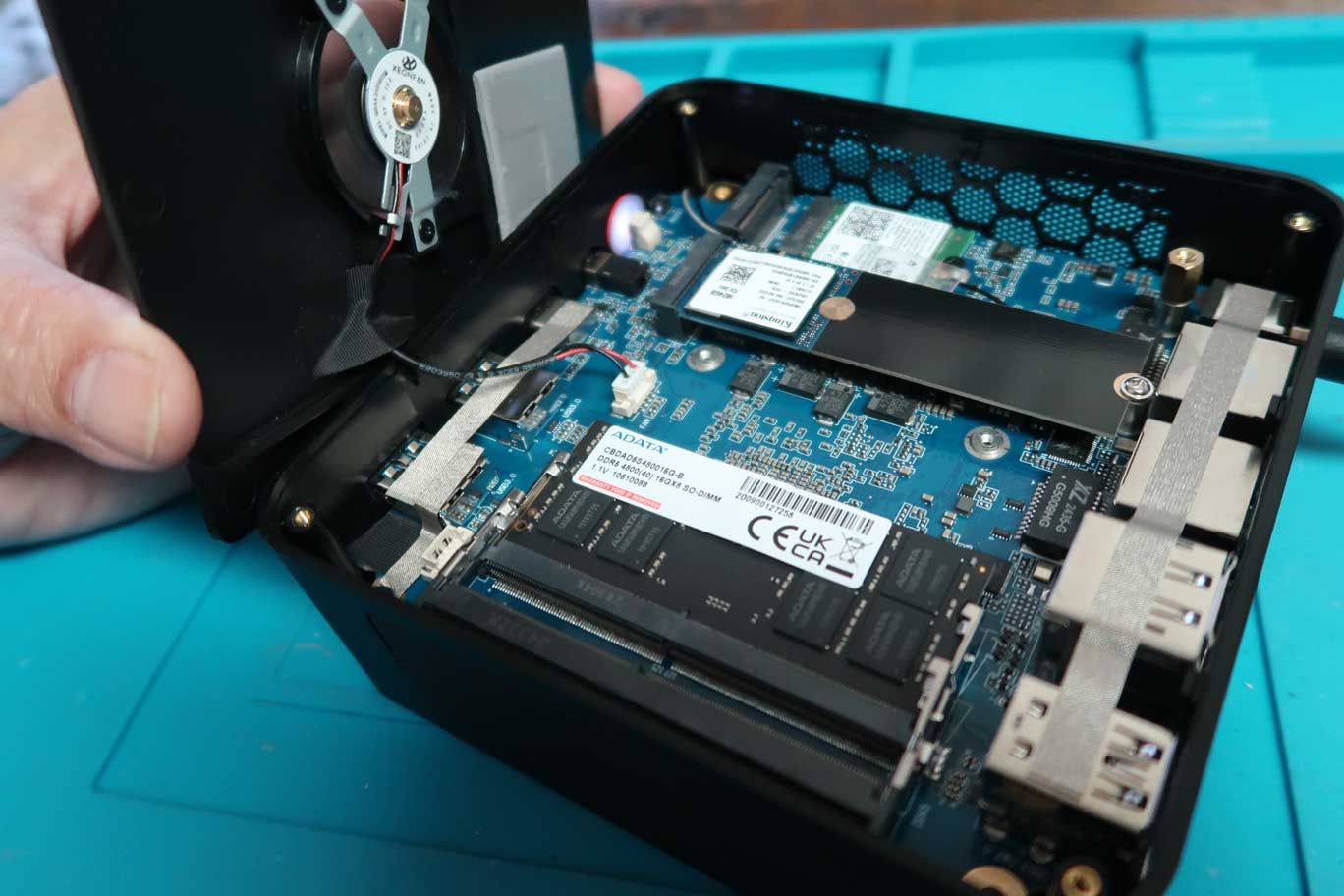
The two (2) 16GB SODIMMs (made by a Taiwanese company, ADATA) and the less-than-half-length, 1TB M.2 2280 NVMe PCIe 4.0 SSD (made by longtime DRAM maker Kingston Technology) both looked new when I removed them from their slots.
I also tested the unit’s switching PSU under load: an external brick that converts AC into 19V DC at 6.3A, and it passed with flying colors. I put the 1TB NVMe SSD in an external enclosure, and two (2) of my Windows-based PCs detected it, including an older AMD Ryzen 3-powered HP laptop.
I was about to return the $650 (10.25% tax inclusive) mini PC for a replacement, which is still covered under its three (3) year warranty, but I decided to check with Amazon first to see if the exact same unit is still available. But as with most mainland China-made goods sold at the U.S.’s #1 retailer (brick-and-mortar, online, or both), the unit is “currently unavailable.”
I also balked at returning the unit after learning the warranty stipulates that, if they refund me -via Amazon gift card- when an exact replacement is unavailable, I would receive only the unit’s cost minus the 10.25% tax I paid.
I truly like the specs of the mini PC I purchased in late 2024, particularly the user-replaceable 32GB DDR5 SODIMMs. I was shocked to learn that those 2 x 16GB SODIMMs would now cost me about $500.
Just two (2) years ago, when I built a “gaming” rig for my niece, $500 would have given us some change (good for a box of great-tasting pizza) when we bought two (2) 64GB DDR5 sticks for her unit. And the two (2) 16GB DDR5 SODIMMs were selling for just around 1/4 of today’s price!
At that point, I was deliberating whether to take a loss by returning the unit or keep it for the $500 worth of 32GB DDR5 SODIMMs. And I’m certain that I have a lot of PC parts lying around from now, seldom-used desktop tower/mini-tower rigs. I only need a mini ITX mobo with SODIMM slots.
I decided to keep the unit (for now, as my warranty is valid until Dec. 01, 2027) and build a USFF (ultra-small form factor) PC based on a mini ITX mobo with SODIMM slots. But before I hit the “Buy” button on such a mobo for about $300 plus tax (LGA1700 Socket for 12th/13th/14th Intel Processors), I tested the DDR5 SODIMMs first.
Lo and behold, one of the 16GB sticks was the culprit for my seemingly DOA budget mini PC! Swapping them into the two (2) slots confirmed neither SODIMM slot was defective.
EPILOGUE:
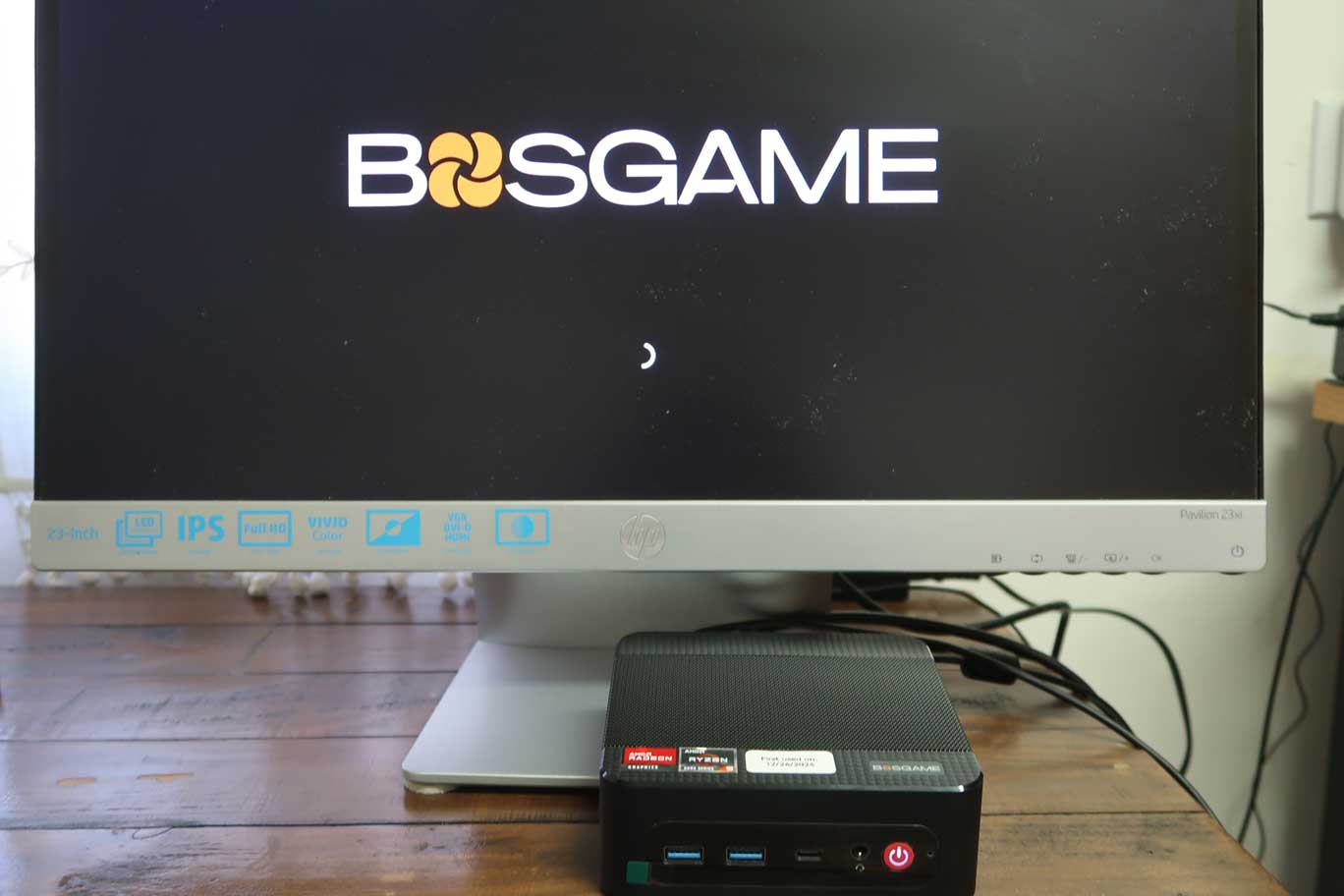
My 2024 BOSGAME P3 budget mini PC still works and runs the latest Windows 11 Pro, but only with 16GB of RAM.
And I now own a defective ADATA 16GB DDR5 dual-channel memory 4800Mhz SODIMM, which currently costs $250 plus tax to replace.
But I still have the option to return the entire unit for replacement or get my money back at a 10.25% loss until Dec. 01, 2027.
Always consider buying an extended warranty for the “higher-end” models of these budget mini PCs. And, as much as possible, avoid buying units with soldered LPDDR (non-socketed, non-user-replaceable) memory.