
Do You Really Trust Your GPS???

During our recent visit to Puerto Rico early this year, I brought along my Garmin NUVI 660 to test its accuracy as well as its dependability. Since we bought the unit about middle of 2007, it had been our constant travel companion for much of our trips around California and had been quite dependable on most occasions.

The Garmin NUVI 660 is the company’s best-selling unit for a quite a number of reasons. Its 4.3″ color screen seems to be the right size for any automobile without a built-in GPS navigation system. The included windshield attachment is not only durable but also well-designed.

Other features like hands-free calling via Bluetooth-compatible phones, MP3 player, FM transmitter, travel kit, picture viewer as well as storage expansion via the SD card slot makes it the hands-down choice among first-time automobile GPS buyers.

But it is the simple yet very functional user-interface that made Garmin’s NUVI series a winner. A few taps on the display screen and you’re ready to navigate. And, if your Bluetooth-compatible phone rings while navigating around, simply tap the phone icon and you’re ready to answer the call via the built-in microphone & speaker!

Except for new constructions and a few interior roads, the built-in North American map had been generally accurate. I updated -via DVD software – it only to the latest 2008 North American map when I discovered that our car was literally running through the waters of the Benicia Strait as we passed through the newly constructed Benicia-Martinez Toll Bridge – the gateway that connects I-680N to I-80N.

We had booked our rental car with Hertz weeks ahead for a six-day tour of this U.S. territory in the Caribbean. Puerto Rico’s main airport is in San Juan while our hotel was booked in the second-largest city in the islands – Ponce – which was a good 65 miles away. This would be a good initial test for the GPS unit in beautiful Puerto Rico.

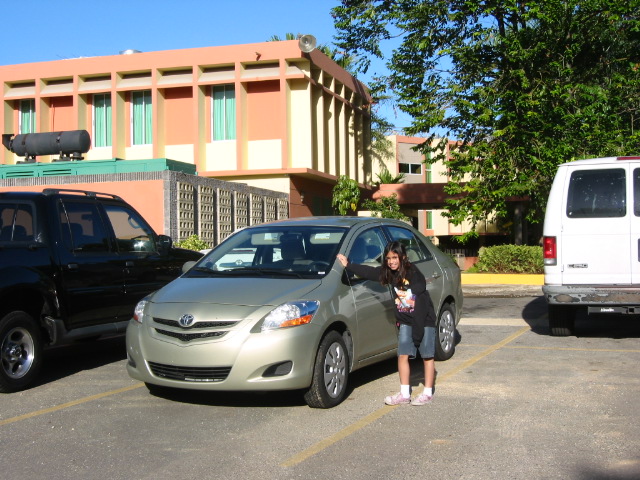
I had already saved some of our intended destinations in the Favorites folder of the GPS unit. So, after getting our rental car – a mint-green 2008 Toyota Yaris – from the Hertz compound 2 hours after we landed in the Luis Munoz Marin Airport in San Juan, I hooked-up the unit unto the car’s windshield (unlike in CA – where I had to use a friction-mount –, attaching it on the windshield in PR is not illegal), tapped on a few icons as soon as it powered-up and on we headed to our hotel in Ponce!

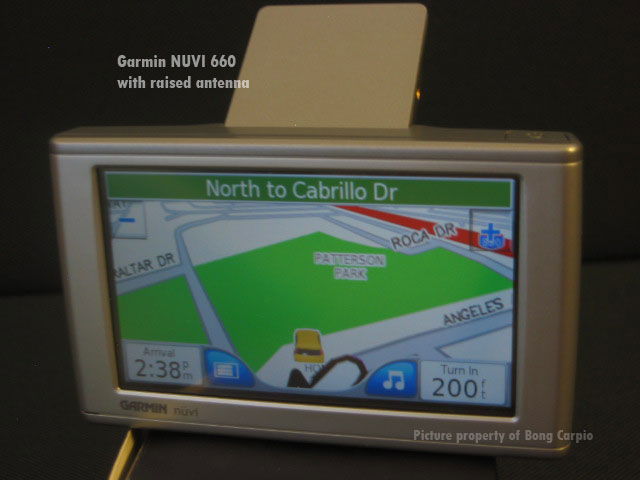
Profile of the Garmin NUVI 660 with its raised antenna to pick up GPS signal
The Garmin NUVI 660
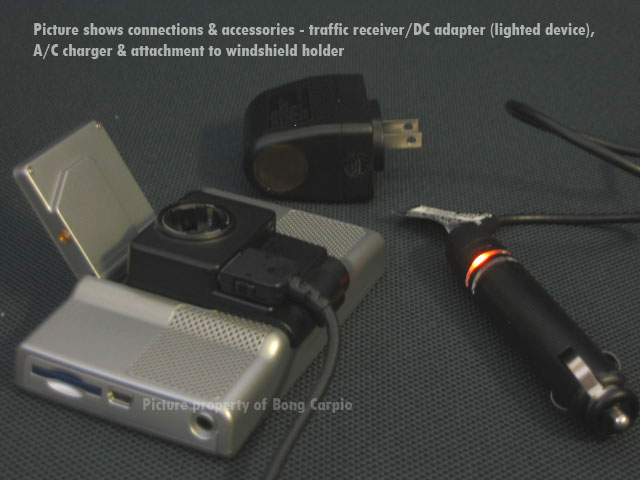
Some of the bundled & optional accesories of the Garmin NUVI 660 GPS
Accessories bundled with the Garmin NUVI 660 GPS

It passed the initial test with only a minor quirk. While it guided us correctly to up to the main city, it failed to recognize the mostly one-way and narrow streets where our hotel was situated in downtown Ponce. I had to park the car a few blocks away and looked for our hotel…yes, with the GPS on my hands!

The following day, on our trip to the Arecibo Observatory, the GPS unit’s accuracy was at its lowest point. While it can accurately track the main highways, it kept telling us ‘to turn left -or, right- along Highway 111’ while we’re already traversing the steep, twisting ascents of the same highway!

We also had a lot of ‘dead-spots’ while cruising along a few mountain stretches. I thought that as long a you have a view of the open sky, your GPS unit can pick-up the satellite signals quite easily. Of course, just like in most densely populated cities like San Francisco it takes a while for the unit to pick-up the satellite signals, I was surprised that it could easily get a reading in the metropolis of San Juan.

One very useful feature of this gadget is the ability to track you where you are and from your location, get all the useful information – auto services, hotel, gas stations, food, etc – that you may need.

A good example would the time when we were in Plaza del Mercado (a public market) in Santurce, San Juan, PR and it was raining a lot. Looking for a taxi was extremely difficult as the place was a little off the beaten path.

Garmin NUVI 660 to the rescue.  I simply raised the unit’s antenna, tap the ‘Food, Lodging’, then, ‘Spell Name’ icon, entered, “Taxi” and voila…I got the names as well as phone numbers of the available taxicab companies in the nearby area. A quick call to the taxicab company of our choice and in a few minutes, a taxi appeared from nowhere to get us back to our hotel!

Overall, I was quite satisfied with the performance of the NUVI 660. It not only gave us peace of mind that we will get to where we want to go to but also for the other little things the device can offer you.

The Garmin NUVI 660 is a must-have device for travelers. Highly recommended.

SFO: So Many Things to Do…So Little Time!

The heart of San Francisco
The State of California building as seen from the park across SFO City Hall

Since I moved working environs from Fairfield to SFO in late August this year, I hardly had the time to update this site. San Francisco is such a bustling city that getting used to this new lifestyle will take me some time.

Fairfield was really so boring, after all!

What’s coming up? I have on tap, more new computers & gadgets, new software (including Apple’s latest OS X Leopard), more world music, news and more importantly, will upgrade the webserver to a massive two (2) terabytes of storage space!

Happy Thanksgiving and happy holidays to all!

Why I am an iPhone Holdout

I love new techs & gadgets. The iPhone craze died-out immediately after its initial release last June 29, 2007. There was

Image representing iPhone as depicted in Crunc...
Image via CrunchBase

ample supply (hey, it’s only a cell phone) of this new gadget from Apple that prevented ‘scalpers’ (eBay or CL) from wreaking further havoc out of the pocketbooks of ‘techno-lusters‘.

But, no – no matter how compelling this gadget might be – I wasn’t among the folks who lined-up at an Apple Store to be the first one to have the iPhone…which I did with the original iPod release.

I’m waiting for the next release of the iPhone, and I’ll get one, if and only if the ff. requirements are present:

1. Faster data access (the current EDGE/GPRS service sucks).
2. VoIP apps will be available (Skype, would be really nice).
3. An ‘open’ version will be available. No more 3rd-party hacks.

That’s it. Until then, I still view the iPhone as a mishmash of the Blackberry, Palm T|X & Sony’s PSP.

Period.

Enhanced by Zemanta

Palm and the Rise of the Small Machines

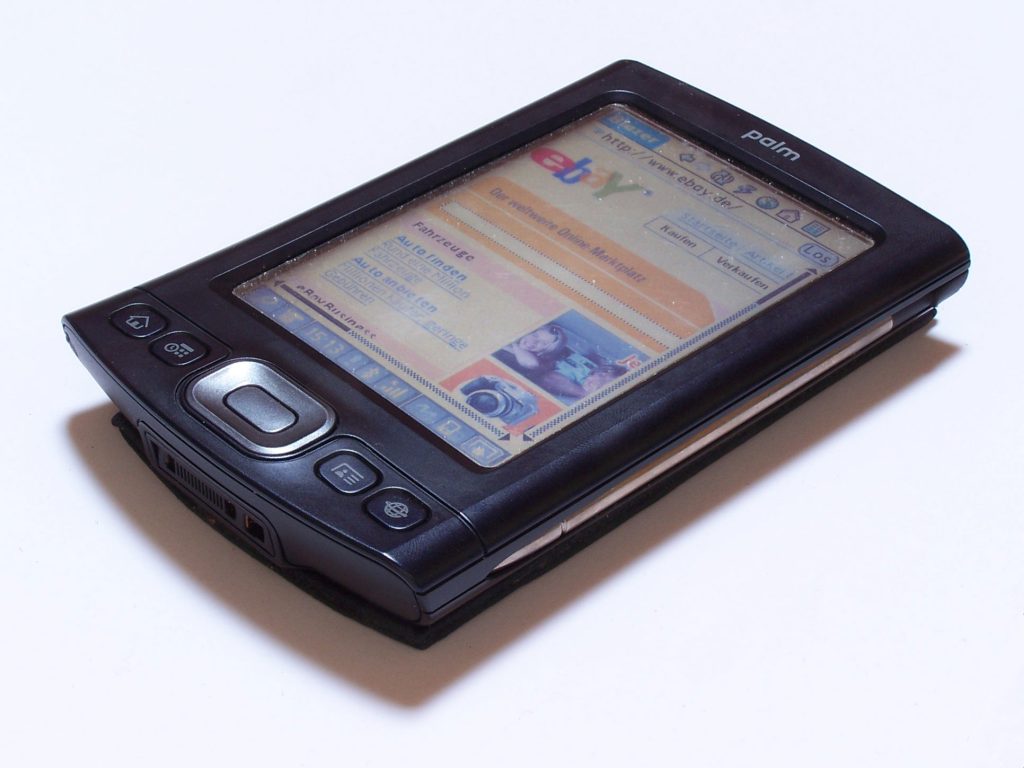
Palm TX
Palm TX (Photo credit: Wikipedia)

Since the Palm Pilot debuted in the 1996 and established the PDA (Personal Digital Assistant) market, many had no doubts that, one day, PDAs will approximate the power of a personal computer.

That time is here – thanks to rapid advances in flat-screen & wireless technologies, as well as in flash memory – and there’s no company that understands it better than the original creator, Palm, Inc.

Just put your hands in one of their newer models – be it the Treo 680 (or, its Windows Mobile counterpart, the Treo 750), the Palm T|X or, their only model in the “mobile manager” category, the LifeDrive – and you’ll be amazed at the things these little devices can do. These devices had come a long, long way from being the simple electronic organizers that keep your notes, addresses, memos and loaded with simple apps like date book, calculator, note taker and an expense tracker.

I was surprised at the wireless capabilities of these handhelds today. Using Hands High Software’s WiFile Pro (WiFile LT is bundled free in the Palm software CD), I was able to access either Mac or Windows networked files so easily (wow!…really, hassle-free), via the built-in WiFi capabilities of the T|X or the LifeDrive.

With their Treo series, Palm was able to address the needs of users who like to have a phone integrated with their PDAs. And with the LifeDrive, Palm is still trying its hardest to assuage notebook computer users to swap them out with this pocketable device instead.

How about in its core business segment – the handheld or, the original PDA market?  Palm realized that slowly and surely, the PDA market is undergoing convergence with telephony/wireless and that PDAs will soon integrate all the features of these mix. The Palm T|X is a case in point.

Except for a phone feature, the $299 Palm T|X packs in its 3.08″ x 4.76″ x .61″ shell, all the features of a decent Internet-capable home computer. Load it with the appropriate software & you’ll be surprised how easy it is to access your home (even your company’s) networked files, copy DVD movies (thanks to its SD/SDIO/MMC-capable slot as well as the fantastic storage capabilities of these stamp-sized memory devices) for viewing on your long commute or, simply browse the Web (WiFi’s built-in) for any information of your liking.

PQ Computing Inc’s $35 application, Pocket DVD Studio (for Palm/Pocket PC) can compress a 3-hour DVD movie into, approximately, a 368 MB .avi file – or, .wmv if you want . So, if you have a 2GB SD card in your Palm T|X, you can easily fit about 4 to 5 full-featured movies!

Some would say that for $299, you could buy a used, middle-end notebook & have much use for it than these “overpriced gadgets”. True. But, the last time I checked, these notebooks are still put into carrying bags & slung on shoulders. They still don’t fit inside my favorite shirt’s pocket.

Palm – and all handhelds in general – had indeed come a long way from being a nerd’s show-off gadget to an alternative device for people on the go who hates carrying that hefty notebook.

Graphical OS: According to Apple & Microsoft

Apple System Software 1.x (1984) = Microsoft Windows 1.01, aka “Presentation Manager” (1986)
Apple System Software 2.x (1985) = Microsoft Windows 2.x aka, “Windows 286/386” (1987)
Apple System Software 3.x (1986) = Microsoft Windows 3.0 (1990)
Apple System Software 4.x (1987) = Microsoft Windows 3.1 (1992)
Apple System Software 5.x (1987) = Microsoft Windows 3.11, aka “Windows for Workgroups” (1994)
Apple System 6.x (1988) = Microsoft Windows 95 (1995)
Apple System 7.x (1991) = Microsoft Windows 95B/95C & Windows NT 4.0 (1996)
Apple Mac OS 7.5x (1995) = Microsoft Windows 98 (1998)
Apple Mac OS 7.6x (1996) = Microsoft Windows 98SE (1999)
Apple Mac OS 8.x (1997)
Apple Mac OS 8.1 (1997) = Microsoft Windows ME, aka “Millennium Edition” (2000)
Apple Mac OS 9.x (1999) = Microsoft’s Windows XP (2001)
Apple Mac OS X – 10.0, aka “Cheetah” (2001) = Microsoft Windows Vista – Home Basic Edition (2007)
Apple Mac OS X – 10.1, aka “Puma” (2001) = Microsoft Windows Vista – Home Premium Edition (2007)
Apple Mac OS X – 10.2, aka “Jaguar” (2002) = Microsoft Windows Vista – Business Edition (2006/2007)
Apple Mac OS X – 10.3, aka “Panther” (2003) = Microsoft Windows Vista – Ultimate Edition (2007)
Apple Mac OS X – 10.4, aka “Tiger” (2005) = Microsoft Windows Vista – Ultimate plus patches (2007 – ???)
Apple Mac OS X – 10.5, aka “Leopard” (for 2007 release ???) = next Windows release for 2011 ???

– – Kupitero

Here’s an update,  Dec. 2013 — almost 6 years after:

Apple Mac OS X – 10.5, aka “Leopard” (2007) =  MS Windows 7 (2009)
Apple Mac OS X – 10.6, aka “Snow Leopard” (2009) =  MS Windows 7 with Service Pack 1 (2011)
Apple Mac OS X – 10.7, aka “Lion” (2011) =  MS Windows 8.0 (2012)
Apple Mac OS X – 10.8, aka “Mountain Lion” (2012) =  MS Windows 8.1 aka “Windows Blue” (2013)
Apple’s Mac OS X – 10.9, aka “Mavericks” (2013) =  MS Windows 8.1 with Service Pack 1 ???? (20??)
Apple’s Mac OS XI – 11.0 , aka “???” (for 2015 release???) =  MS Windows 8.2 (for 2015 or 2016)???

– – Kupitero

Here’s another update,  Nov. 2016 — almost 9 years after the initial post:

Apple Mac OS X – 10.5, aka “Leopard” (2007) =  MS Windows 7 (2009)
Apple Mac OS X – 10.6, aka “Snow Leopard” (2009) =  MS Windows 7 with Service Pack 1 (2011)
Apple Mac OS X – 10.7, aka “Lion” (2011) =  MS Windows 8.0 (2012)
Apple Mac OS X – 10.8, aka “Mountain Lion” (2012) =  MS Windows 8.1, aka “Windows Blue” (2013)
Apple Mac OS X – 10.9, aka “Mavericks” (2013) =  MS Windows 8.1 with Update  (2014)
Apple Mac OS X – 10.10, aka “Yosemite” (2014) = MS Windows 8.1 with Update & Bing (2014)
Apple Mac OS X – 10.11, aka “El Capitan” (2015) = MS Windows 10 Official Release
Apple Mac OS Sierra10.12 aka “Sierra” (2016) = MS Windows 10 with 1st Anniversary Update (2016)

– – Kupitero

Here’s another update,  July 2022 — almost 15 years after the initial post:

Apple Mac OS X – 10.11, aka “El Capitan” (2015) = MS Windows 10 Official Release
Apple Mac OS Sierra – 10.12 (2016) = MS Windows 10 1st Anniversary Update  (2016)
Apple Mac OS High Sierra – 10.13 (2017) = MS Windows 10 Creator’s Updates (1703/1709)
Apple Mac OS Mojave – 10.14 (2018) = MS Windows 10 April/Oct. 2018 Updates (1803/1809)
Apple Mac OS Catalina – 10.15 (2019) = MS Windows 10 May/Nov. 2019 Updates (1903/1909)
Apple Mac OS Big Sur11.0 (2020) = MS Windows 10 May/Oct. 2020 Updates (2004/20H2)
Apple Mac OS Monterey12.0. (2021) = MS Windows 11 (aka “Sun Valley“) and Windows 10 May/Nov. 2021 Updates (21H1/21H2)

Apple Mac OS Ventura – 13.0 (2022) = MS Windows 11 Update???

Here’s another update,  November 2025 — almost 18 years after the initial post:

Apple Mac OS Ventura13.0 (2022) = MS Windows 11 (aka “Sun Valley 2“) September 2022 Updates (22H2) and Windows 10 October 2022 Updates (22H2)

Apple Mac OS Sonoma14.0 (2023) = MS Windows 11 (aka “Sun Valley 3“) October 2022 Updates (23H2) and Windows 10 October 2022 Updates (22H2)

Apple Mac OS Sequoia15.0 (2024) = MS Windows 11 (aka “Hudson Valley“) October 2024 Updates (24H2) and Windows 10 October 2022 Updates (22H2)

Apple Mac OS Tahoe26.0 (2025) = MS Windows 11 (aka “Hudson Valley 2“) September 2025 Updates (25H2) and Windows 10 (22H2). End of support for Windows 10.

Apple Mac OS Las Vegas – 27.0 (2026) = MS Windows 11 Update (aka Hudson Valley 3 (26H2)???

– Kupitero

MyBook and SuperDuper! = New PowerMac G5

English: Western Digital My Book external hard...
English: Western Digital My Book external hard drive. The author is me. I’ve clicked the photo. (Photo credit: Wikipedia)

The danger of any hardware malfunction always lurk behind the mind of a sysop, web-host or any computer owner who relies on his equipment for day-to-day operations.

In the ever fast-changing world of Mac/PC hardware, the kind of devices & media to back-up your data could be that so various and diverse already, that they could now fill-up a standard, two-car, American garage.

All sorts of tape drives (Bernoulli, Travan, etc), CD-ROMS, DVD-ROMS, microfilms, microfiche, ZIP drives, assorted variations/incarnations of the hard drive & diskette drive, DATs and other lesser-known media or brands that are now probably buried deep in selected “e-waste” landfills in the U.S.  Or, more probably, choking the already-polluted streets & waterways of China, Africa, India & most Far East countries – – according to Greenpeace, these are where advanced countries, export (read as: dump) their obsolete electronics & medical equipments. Most of them, obviously, in the pretext of aid.

It’s good to know, however, that these electronic – now, marvels, tomorrow, junks – back-up units are getting smaller in sizes. The way they connect to computers played a big factor for their physical diminution.

Gone were the bulky, interface-standards of yesteryear: serial, parallel and SCSI, as well as various modifications of them that resulted in proprietary standards – e.g., MiniDIN, ADB, HP-IB, Sun-SCSI – that further confused an already-confused user base in the glory days of the personal computers.

Today, there are basically two standard formats to hook-up these small, external back-up units: the USB and FireWire. Their cables are much thinner & lighter without sacrificing data-transfer speed. In fact, they are way much faster than their predecessors.

From my early years of using an Apple II (where using a hard drive – aka: “Winchester” drive – was then a luxury) with its glorious, 140KB, 5-1/4 floppy disk drive backing up my Magic Window (a word-processing software) & VisiCalc (the very first spreadsheet software) files.

I had now come a long way – 26 years later – to using Western Digital’s external 500GB MyBook (with both FireWire & USB interface) and Shirt Pocket’s very popular back-up software called “SuperDuper!” – to mimic my entire PowerMac G5’s hard drive!

Is that progress? Or, is life, – like electronics – just a perpetual state of junk?

More of the same story…10 to 20 years later???

The Tropical Life

Nothing beats a view from a tropical beach with a cold drink in your hand during summer. I mentioned ‘tropical’ to refer to any part of the world where the weather seems to be mostly humid and partly rainy, most of the year.

There’s always a certain charm to these places that defy explanation — no matter how hard luck the countries these places are mostly situated in. What can be simpler than a view of the ocean, some tropical flora and the occasional breeze, where you ponder upon your state of existence?

Ah, there are more pressing matters than these reflections. There are bills to pay, phone calls to make and e-mails to answer. But, then again, where are all of these ‘important things’ going to lead me to when my life is over?

Had we all fallen to the trap of the centrifugal effect in the circle of life? Sucking us in to conform to the norms of man-made society?

Our existence, maybe, is like the ocean that ebbs and flow but, sooner or later, momentarily assumes the form of where the shift of the Earth leads it to.  Maybe.

note:  Ported  from my original, June 15, 2004 entry at Google’s Blogger

Why The World is a Mess

– There are so much stupid people than rational ones.
– There are so much greedy people than people who try to live within their means.
– There are so many people who really believe that their religion is better than others.
– There are so many people who would rather receive than give.
– There are more lazy people than hard-working ones.
– There are more ‘talkers’ than ‘doers.’

Moreover, most people are:

– Proud of their stupidity.
– Proud of their greed.
– Proud of their arrogance
– Proud of their religion.
– Proud of their laziness.

And, the saddest part of all:

– These kind of people live the longest in the world!

Three Computers and an iPod: To Sync or Not to Sync

The size of the package was reduced 50 percent...
The size of the package was reduced 50 percent with the introduction of the second generation. “Apple and the Environment”. Apple.com . Apple Inc. . . Retrieved October 22, 2006 . The fourth and fifth generation packaging mimics this packaging, while the third generation used a larger but otherwise similar version of it. (Photo credit: Wikipedia)

I recently got a week-old iPod nano for my wife that has some songs on it – 165 songs to be exact. All of the songs are in the MP3 format. Not a single tune was in the MP4 format – a proprietary format Apple created that produced better fidelity during the compression process.

Since the iPod nano was sold to me in good faith, I was, now, the rightful owner of the device as well as all the contents of it, right? Just like when you bought a house and the seller agreed to give to you all the furnitures and fixtures inside, you are the rightful owner of everything inside the house, correct?

Not so in the complicated world of licensing, music rights, the RIAA, music delivery formats, interfaces and the ever-changing realm of the computer industry.

Apple and iTunes brought a bit of peace of mind to music executives by paying them their dues for every song bought via the extremely popular iTunes Music Store. Apple admits they don’t make any money from the iTMS but from the device that feeds off it — the fad that became a must device for music lovers: the iPod.

The iPod, however, ‘syncs’ exclusively to the first computer you install iTunes and put songs on. If you want to sync it to a different computer, it will tell you that “it will delete all the songs on your iPod and put the songs from the new computer to your iPod.” Or, basically, you will have to reformat your iPod so that the ‘new’ computer with a different song compilation that you want transferred to your iPod, can do it without violating any music industry regulations.

But, what if all the songs on the iPod are all mine anyways? I bought all the CDs, rip them and just transferred them to my iPod (which I also bought)? All I want is just to move them all across my three (3) computers in the house?  Can’t I just transfer those songs on the new iPod to any of my existing PCs with iTunes without reformatting the iPod?

Here’s where the software iLinkPod really shines. It creates a folder called ‘iLinkPod’ on both the Mac and the iPod once you installed the software and hit the ‘Link’ button. You can then simply copy all the music files in those folders (F00, F001, F002 etc) – inside the iLinkPod folder to your hard drive. That done, yes, you can now reformat your iPod to sync with the computer of your choosing and just add the songs later on to your music compilation!

iLinkPod not only empowers the rightful owners of music but also serves as a very useful tool in case your PC crashes…and would like to re-create your music compilation on that just-fixed-up Mac or PC!

– – – notes:

You can download this very useful software (Mac version only) at:

www. ilinkpod.com


The 2006 Intel Dual Core iMac (and iLife 2006)

Macs have that irresistible charm when they come out with new features. I must admit that I don’t get the same feeling when I buy my new accessories or upgrades for my PC. It might be due to the fact that it’s both new software and hardware you get when you buy a new Mac.

It was only a few months after Apple announced that they’ll be saying goodbye to Motorola’s Power PC processor (will that make those G5 iMacs collectibles?), when they officially released in Jan 10, 2006 (but will be available in Apple Stores in the U.S. starting Jan 17, 2006), the iMac with Intel’s Core Duo processor.

A 20" iMac Intel Core Duo.
A 20″ iMac Intel Core Duo. (Photo credit: Wikipedi

Except for this new CPU (at either 1.83 or 2.0 GHz) and a slew of new software, the 2006 Intel-powered iMacs differ only from the revamped G5 iMac (with the remote control) that Apple released in mid-2005, by taking advantage of what the new processor can offer: faster bus speed, bigger L2 cache, and faster memory/graphics bus speeds. Speed, speed and more speed was the end result of the shift to Intel processors. And, maybe, cool-up things a bit inside these marvelous machines.

 Opening the new iMac with Intel Core Duo (as well as the iMac G5 w/ built-in iSight) is not as easy anymore unlike the original versions with the G5 chips. Apple had replaced the screws on the bottom grill with Torx (T8) ones. And, where usually the back cover slips easily away from the other half of the case to reveal the guts, this is no longer the situation today. The entire components including the LCD are still attached to the plastic back cover after removing all the screws.

Everything seems to have remained the same like the built-in iSight camera, the MightyMouse, the Apple Remote, built-in Bluetooth/AirPort, screen sizes and resolutions, the ports – with the exception of a new mini-DVI video connector– as well as the physical dimensions of the unit and yes, even the prices.

But perhaps, it’s the new software included what makes any true-blue Mac lovers drool about these new Intel-powered iMacs. It’s no secret that Microsoft just simply tweaks any new Apple software innovation and incorporates them in their new Windows version releases. What up-coming features Windows Vista will offer — ho-hum, Mac users had probably saw them already in the Mac OS X 10.2 (Jaguar) released way back in 2002.

The new Intel-based iMacs will run Mac OS X Tiger version 10.4.4 (the port of the latest OS X Tiger version 10.4.3 on the G5 iMac to accommodate the Intel processor), and by bundling  iLife 2006, Apple is hoping to lure more technophiles to Apple’s ecosystem by giving away these new software currently being offered only as ‘add-ons’ by the PC makers ‘for the rest of them.’ Features like podcasting & iChat interview recording (in GarageBand 3.0), ‘photo-casting’ (in iPhoto 6), Magic iDVD (in iDVD 6) and the new app on the block – iWeb.

iWeb is Apple’s answer to the podcasting and blogging fad – – fads that all big content providers like Google and Yahoo are all hoping to become part of the mainstream Internet.  Much the same way when having an iPod was only a fad. It had become so successful that it’s now a huge slice of the PC industry pie.

Also, be very careful not to confuse the hole between these screws as yet another screw – – it’s the ambient-light sensor. This hole is the next one after the leftmost screw, when your iMac is laying face down (and the word ‘iMac’ at the back cover, is facing you). Poking a screwdriver/Torx driver in it may crack the delicate protective cover.

FrontRow still needs an either a hardware or software upgrade to make it work seamlessly with the remote control. There were just too many occasions when you have to push the controls on the remote several times to switch modes – specially from iTunes to iPhoto. I noted a bug when you’re watching a DVD with a “Resume” sub-menu — clicking on the Play button on the remote won’t resume the movie.

By releasing two (2) new hardware – the Intel-powered iMac & a similarly Intel-powered, MacBook – very early in the year, they will surely make new PC consumers (and folks who will upgrade their outdated computers) take a closer look on these new Apple lineup before they finally decide on their purchases.

And, by giving more and more away on what usually were separate products, Apple hopes that it will reap the rewards later on – – all from creating new innovations that consumers can’t resist.

—notes:

See related 2004 blog on the original G5 iMac released the same year here